Contributing to VoteKit
Thank you for your interest in contributing to VoteKit! This document provides guidelines for contributing to the VoteKit project. All contributions and feedback are welcome and appreciated 😊. The closer you can follow these guidelines, the faster your contributions can enter the codebase. Before drafting your contribution, we recommend reaching out to “code[at]mggg[dot]org” to discuss your feature and how you plan to incorporate it into the codebase.
Contributing Guidelines
Coding Standards: VoteKit follows PEP 8 guidelines for coding style, so we ask that any contributors do the same to ensure that the codebase is consistent. For more information, see the PEP 8 Style Guide.
Writing Tests: If you write a new feature, you also need to write a set of tests. A test is a short piece of code that checks that the package is working as intended. While it is not feasible to test every single aspect of a package, adding tests for new features is a crucial part of open-source software. You can use our current tests as a starting place to show you how these work, or read this tutorial. Depending on the scale of your feature, you may need multiple tests. At minimum, your tests should
check the basic functionality of your feature, such as a test case of an algorithm or an instantiation of a class, and
ensure that any error messages are correctly raised. As a part of the error messages, it is expected that you try to predict, test for, and handle relevant edge cases. It will not be possible to get all of them, but obvious edge cases should be checked (type errors, empty elements, etc.).
Documentation: For any new features that you add, please make sure to include a comprehensive docstring. We have a defined format for docstrings that we use throughout the codebase. This format is a slight riff on the Google Python style, where we move the first line of the docstring onto its own line. Please make sure that any additions are consistent with that format.
Broadly, we write a short description of the function or class. We then list the arguments, their type, whether they are optional, and what the default behavior is if they are optional. We then list the return type and a short description of what is being returned.
For example,
def remove_cand(
 removed: Union[str, list],
 profile_or_ballots: COB,
 condense: bool = True,
 leave_zero_weight_ballots: bool = False,
 ) -> COB:
 """
 Removes specified candidate(s) from profile, ballot, or list of ballots. When a candidate is
 removed from a ballot, lower ranked candidates are moved up.
 Automatically condenses any ballots that match as result of scrubbing.

 Args:
     removed (Union[str, list]): Candidate or list of candidates to be removed.
     profile_or_ballots (Union[PreferenceProfile, tuple[Ballot,...], Ballot]): Collection
         of ballots to remove candidates from.
     condense (bool, optional): Whether or not to return a condensed profile. Defaults to True.
     leave_zero_weight_ballots (bool, optional): Whether or not to leave ballots with zero
         weight in the PreferenceProfile. Defaults to False.

 Returns:
     Union[PreferenceProfile, tuple[Ballot,...],Ballot]:
         Updated collection of ballots with candidate(s) removed.
 """
Poetry
VoteKit uses Poetry to manage the package and all of its dependencies; Poetry is not needed for standard users, but developers will find it useful.
To install Poetry, within your virtual environment, run pip install poetry.
Then, run poetry install from within the root of your VoteKit project directory to install all dependencies.
This will add the necessary dependencies to a .venv directory.
Once you’ve run poetry install, run poetry run pre-commit install, which will install code linting hooks that will run on every commit.
This helps ensure code quality, like automatically checking formatting.
Using GitHub
This tutorial assumes some understanding of GitHub, either of the command line interface or of the desktop GUI. If you are new to GitHub, please feel free to reach out to us at our email, “code[at]mggg[dot]org”, and we will schedule some time to get you started.
Quick Start via Command Line
Fork the repository on GitHub.
Clone your fork locally.
Configure the upstream repo
git remote add upstream https://github.com/mggg/VoteKit.gitCreate a new branch for your contribution
git checkout -b my-new-feature.Make your changes and commit them
git commit -am 'Add some feature'.- Run tests and linters with
poetry run pytest,poetry run ruff src tests, poetry run mypy src, andblack src.
- Run tests and linters with
Pull the latest changes from upstream and rebase your branch if necessary.
Push your branch to GitHub
git push origin my-new-feature.Open a Pull Request on GitHub.
Quick Start via Desktop GUI
Fork the repository on GitHub.
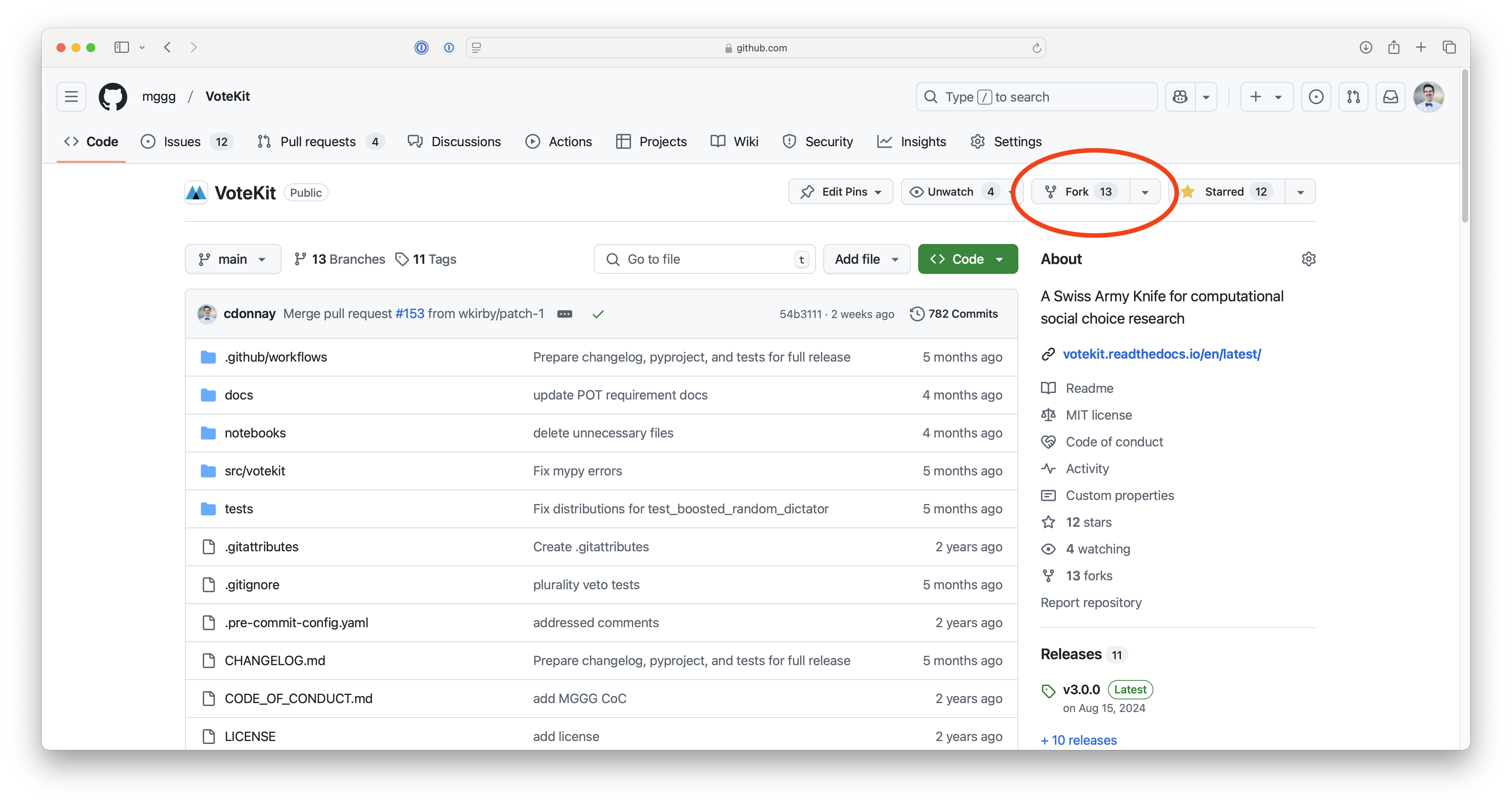
Clone the repository locally. Copy the url to the repository from GitHub.
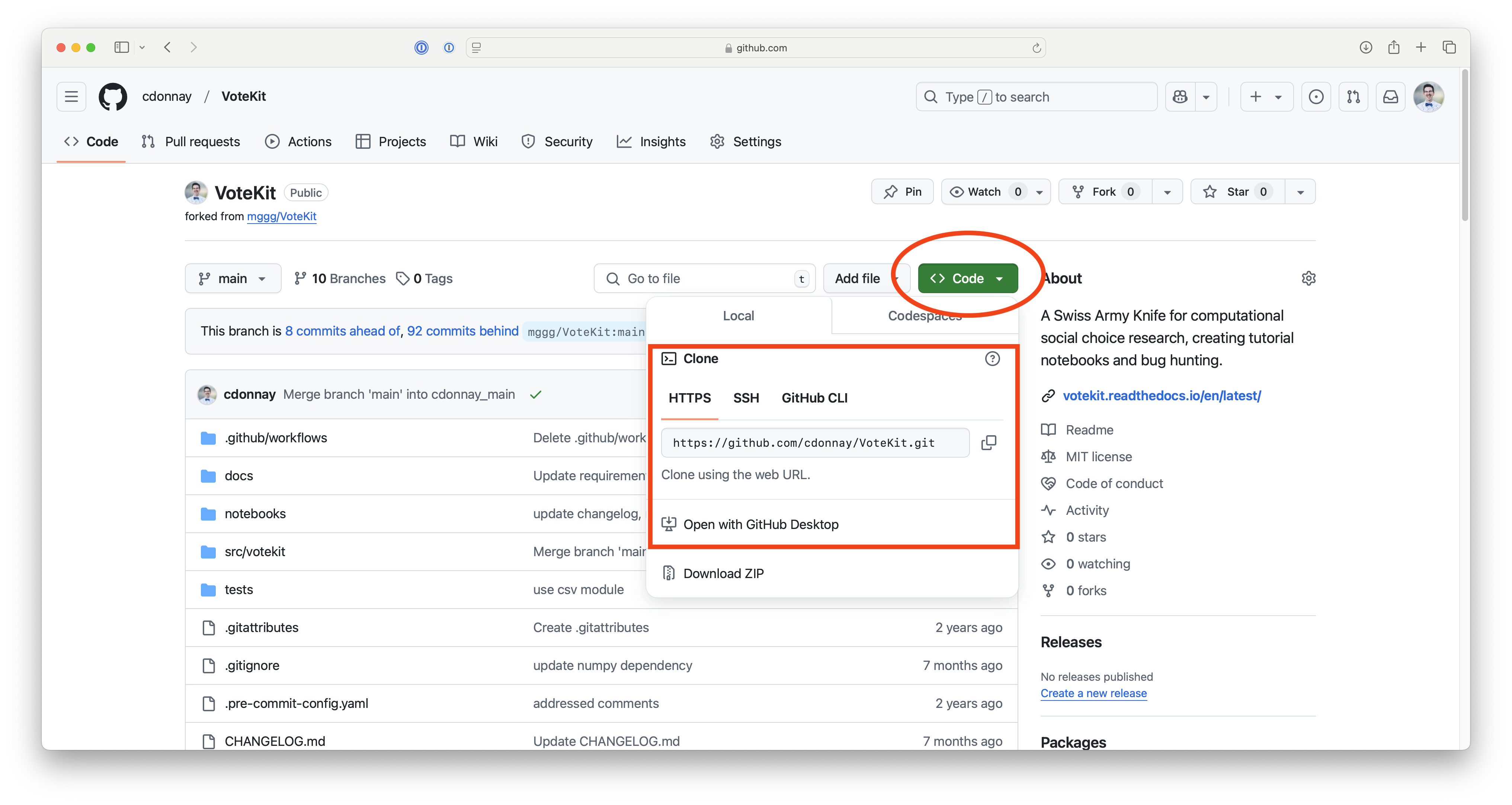
Then from the “File” menu on the GitHub desktop GUI, select “Clone Repository” and provide the url.
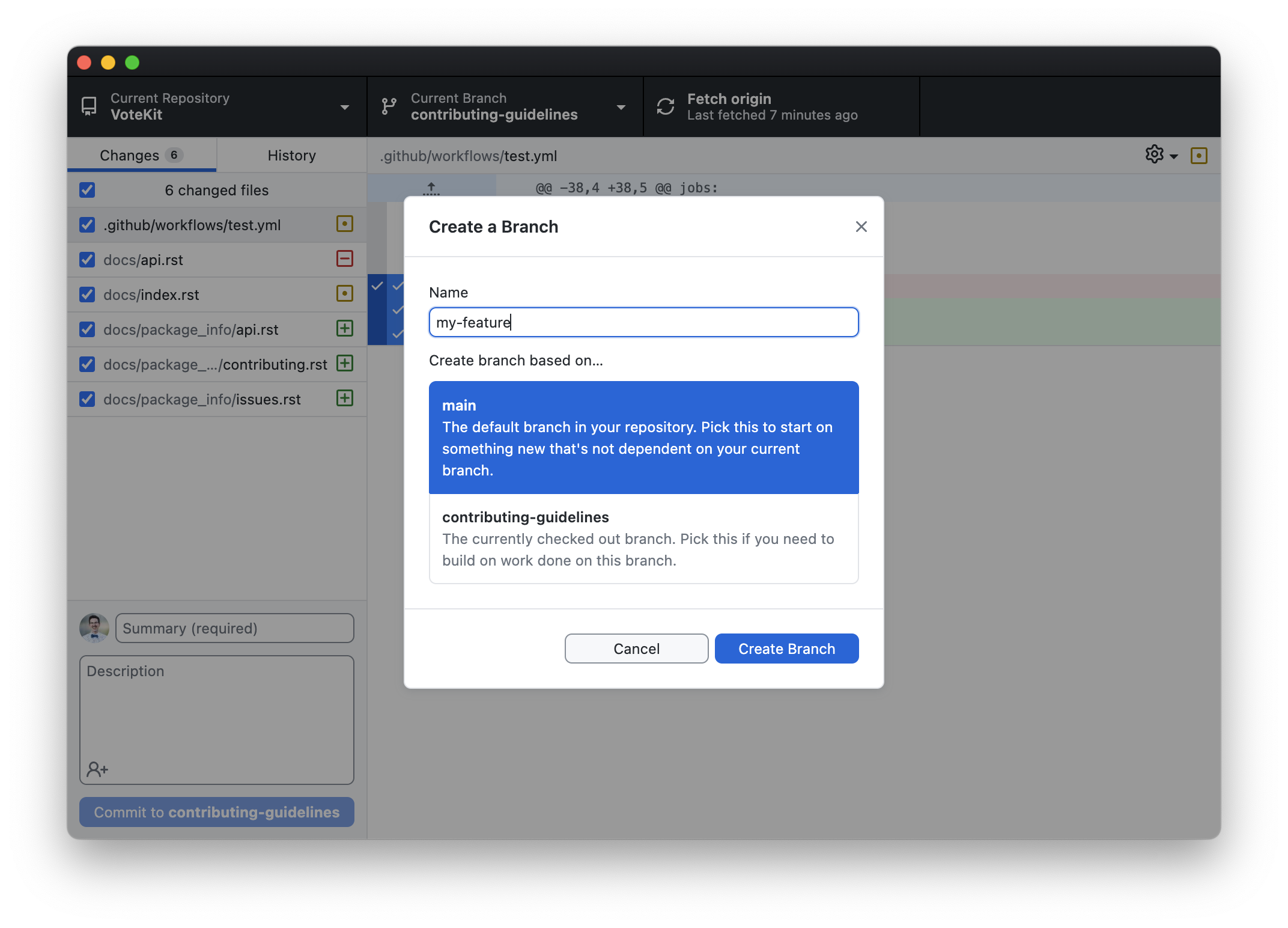
Create a new branch for your feature by selecting “New Branch” from the “Branch” menu.
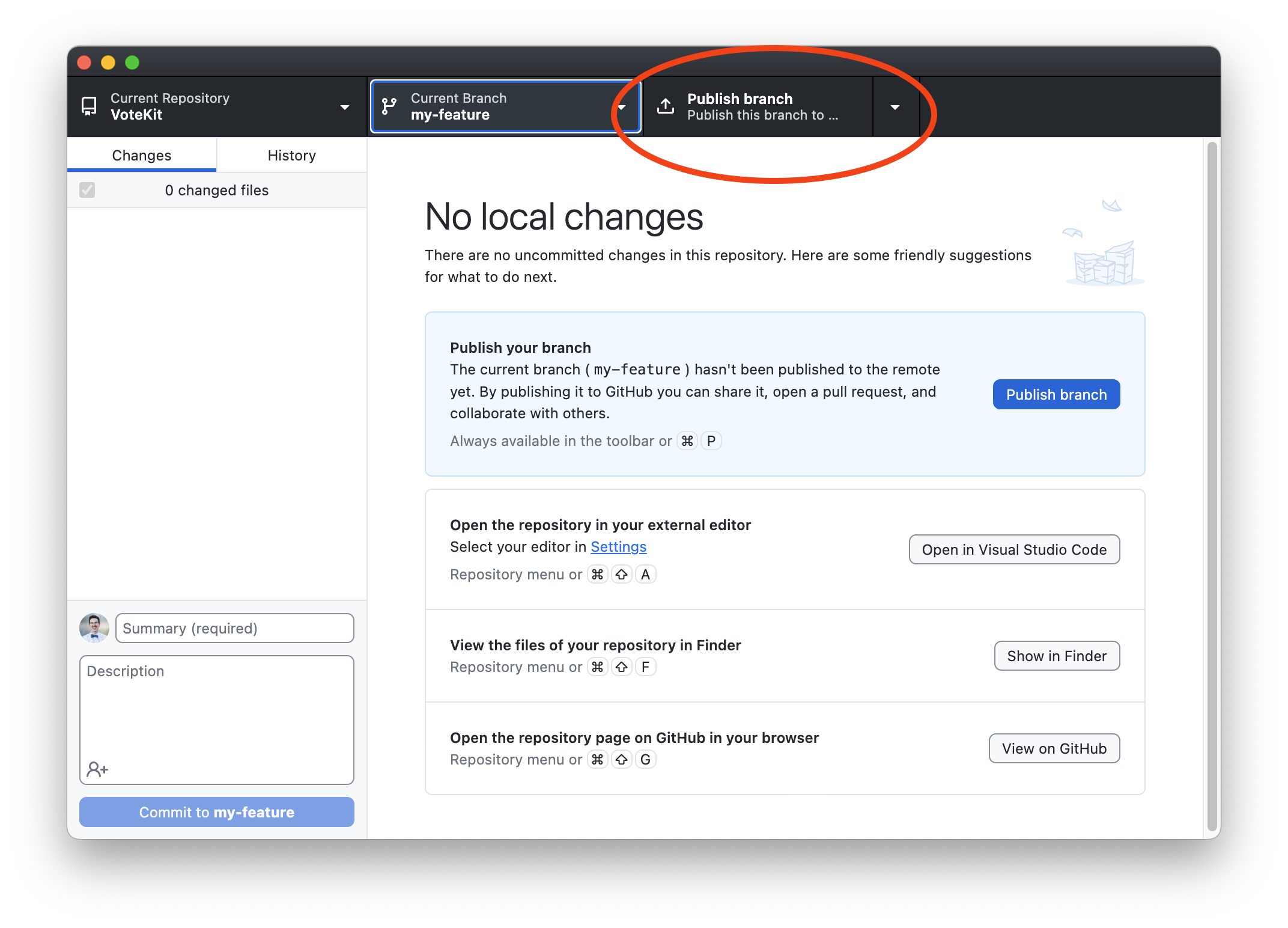
Publish the branch.
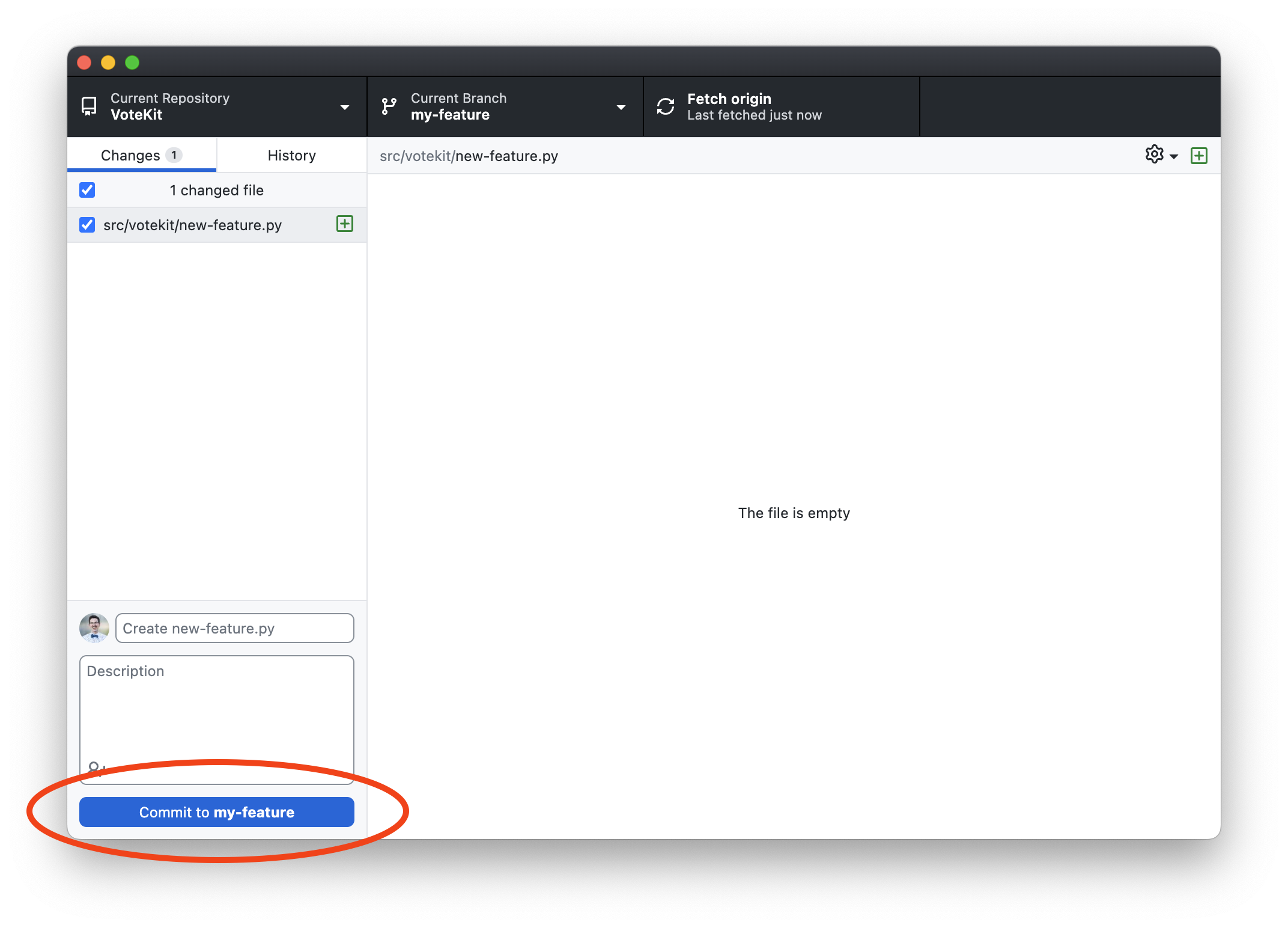
Make your changes to the VoteKit code base and commit them to your branch.
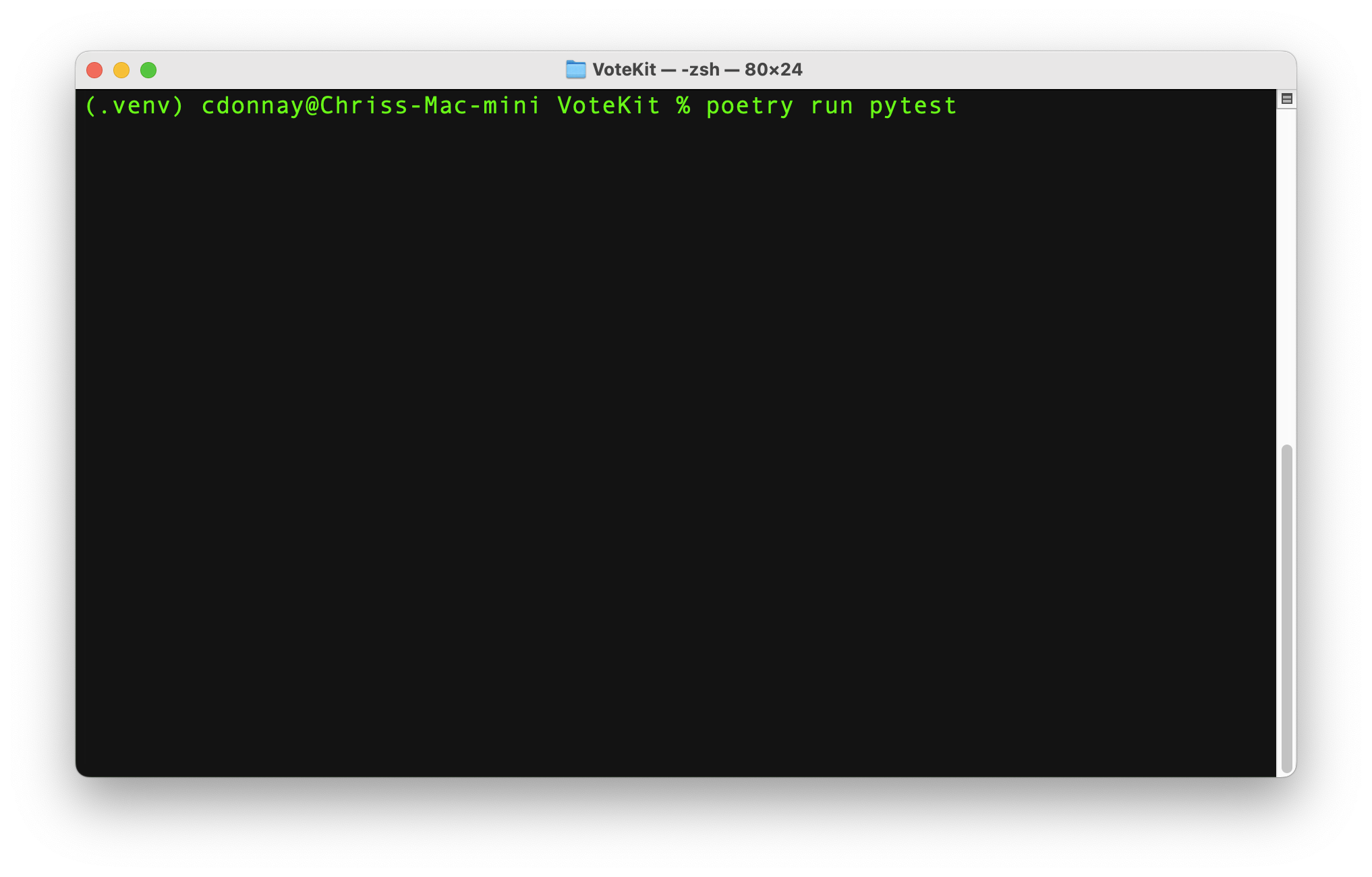
5. Run tests and linters in the command line at the root of your VoteKit directory
with poetry run pytest, poetry run ruff src tests, and poetry run mypy src.
Make sure your virtual environment is activated.
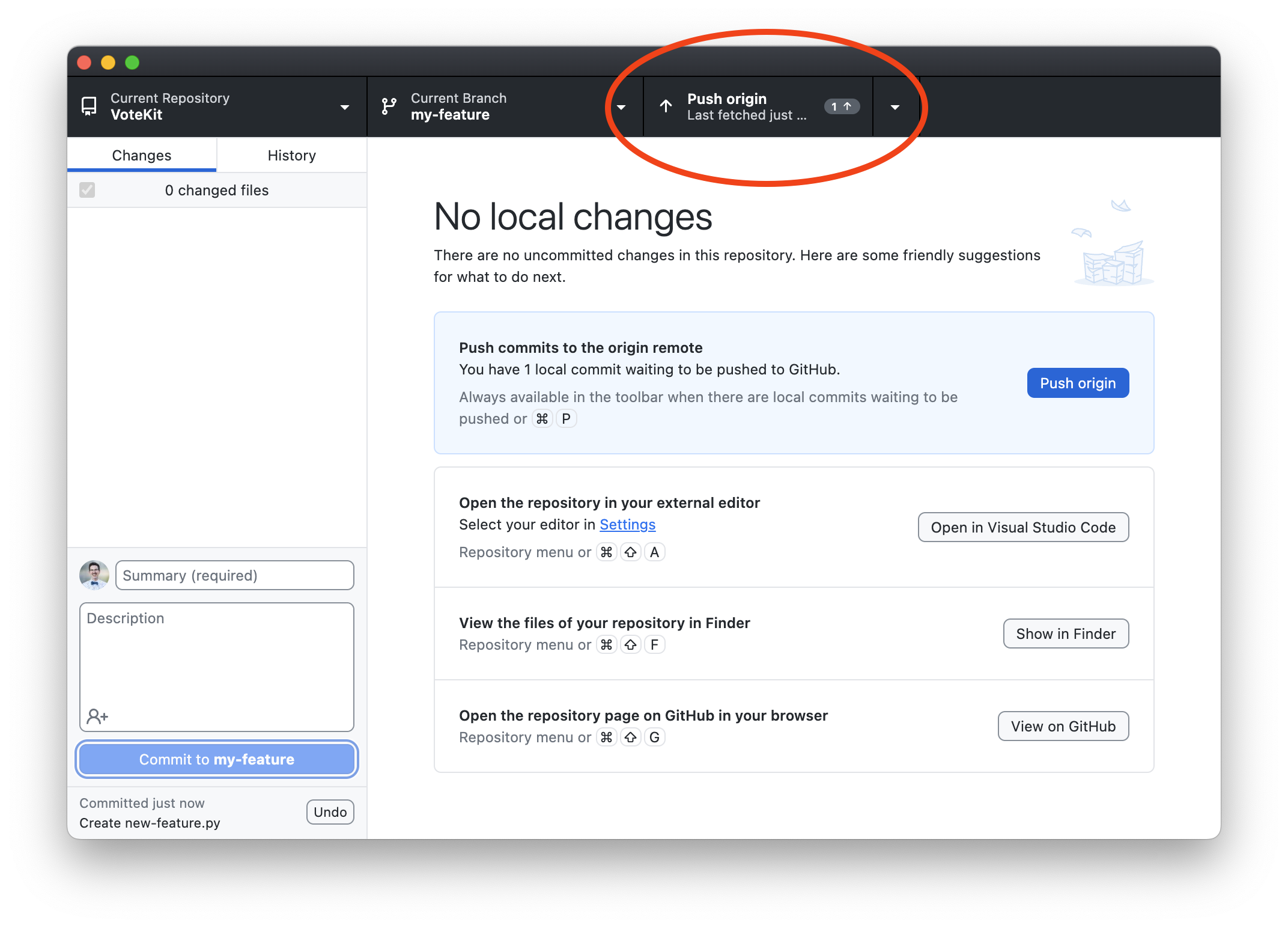
Pull and push to your branch.
Open a Pull Request via the desktop app.
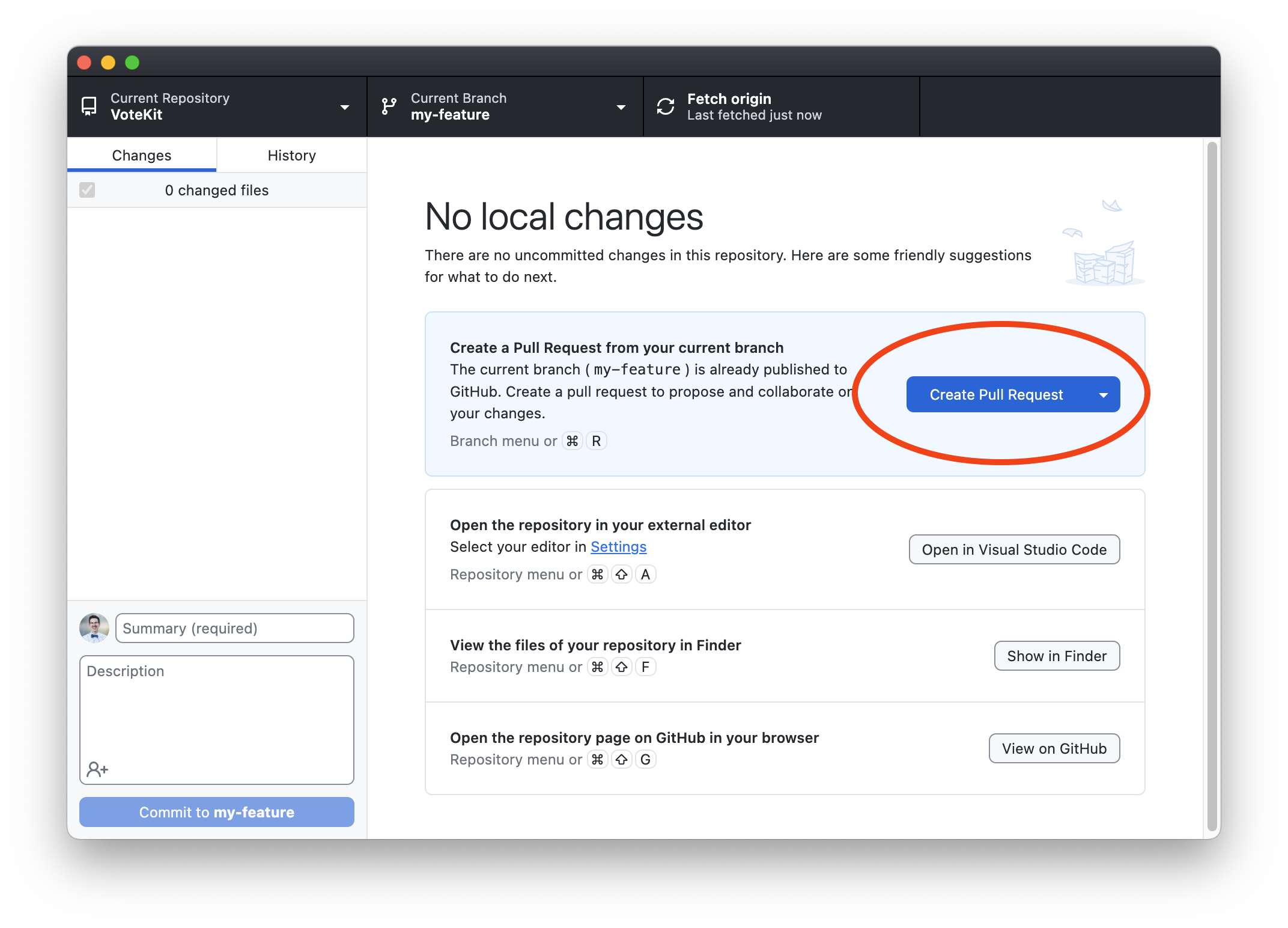
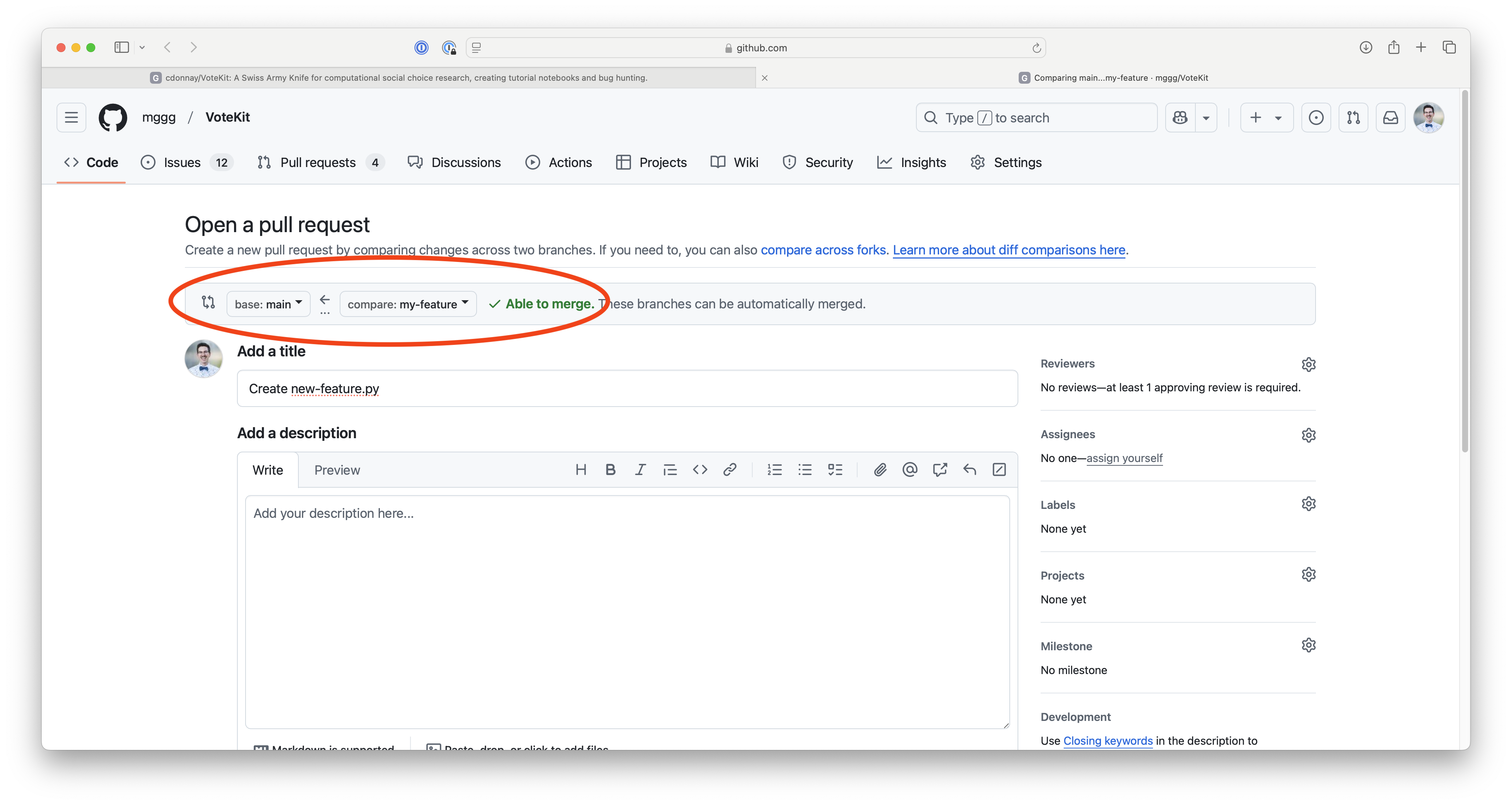
Then, on GitHub, make sure you are trying to merge your branch with the main branch of VoteKit and that the branch is able to be merged. Write a detailed comment explaining the changes you made and the reasoning behind them.
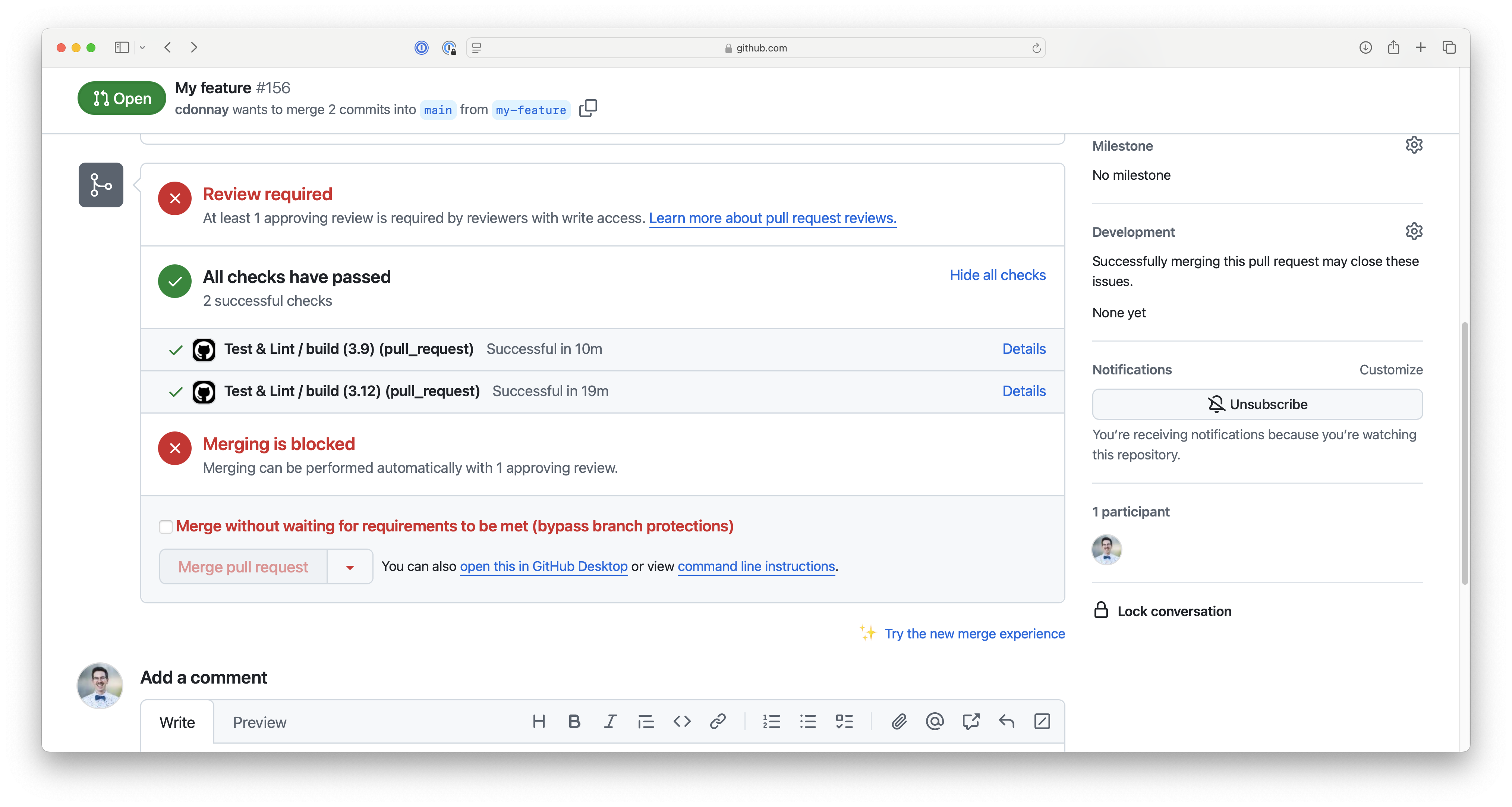
After submitting, check that all of the tests have passed. If any have failed, they will appear with a red X. The tests must pass before we can merge your code. An MGGG member will review your code and provide you with any changes that need to be made before merging.
Community Guidelines
We follow an adaptation of the Contributor Covenant Code of Conduct, which, in essence, means that we expect community members to
Be respectful of different viewpoints and experience levels.
Gracefully accept constructive criticism.
Focus on what is best for the community.
For more detailed information about our community guidelines, please see the Code of Conduct page of the main repository.
Thank You
Thank you for contributing to VoteKit! We appreciate all the time and effort that you put into making this package the best that it can be!